Industry Solutions · ERP
uEngine ERP
An event-sourced ERP that starts with sales and adds inventory, purchasing, invoicing and accounting as your company grows
Open source (MIT). Your data stays in your own Supabase project, and the app is static files, so there is no server to run. Email sending, e-tax invoices and automatic bank feeds are not included. All video and forecast figures come from a made-up company.
An ERP that records every change as an event
Instead of overwriting values, it keeps what happened. So you can see any past moment exactly as it was, undo a mistake after checking what it touches, and use the history to test a change before you make it.
Modules meet only through events. Turning on inventory later changes nothing in the sales module, and when one module stops, the others keep working.
Add more as your company grows
These screens come from the real app. The data belongs to Gaon Appliances, a made-up company.
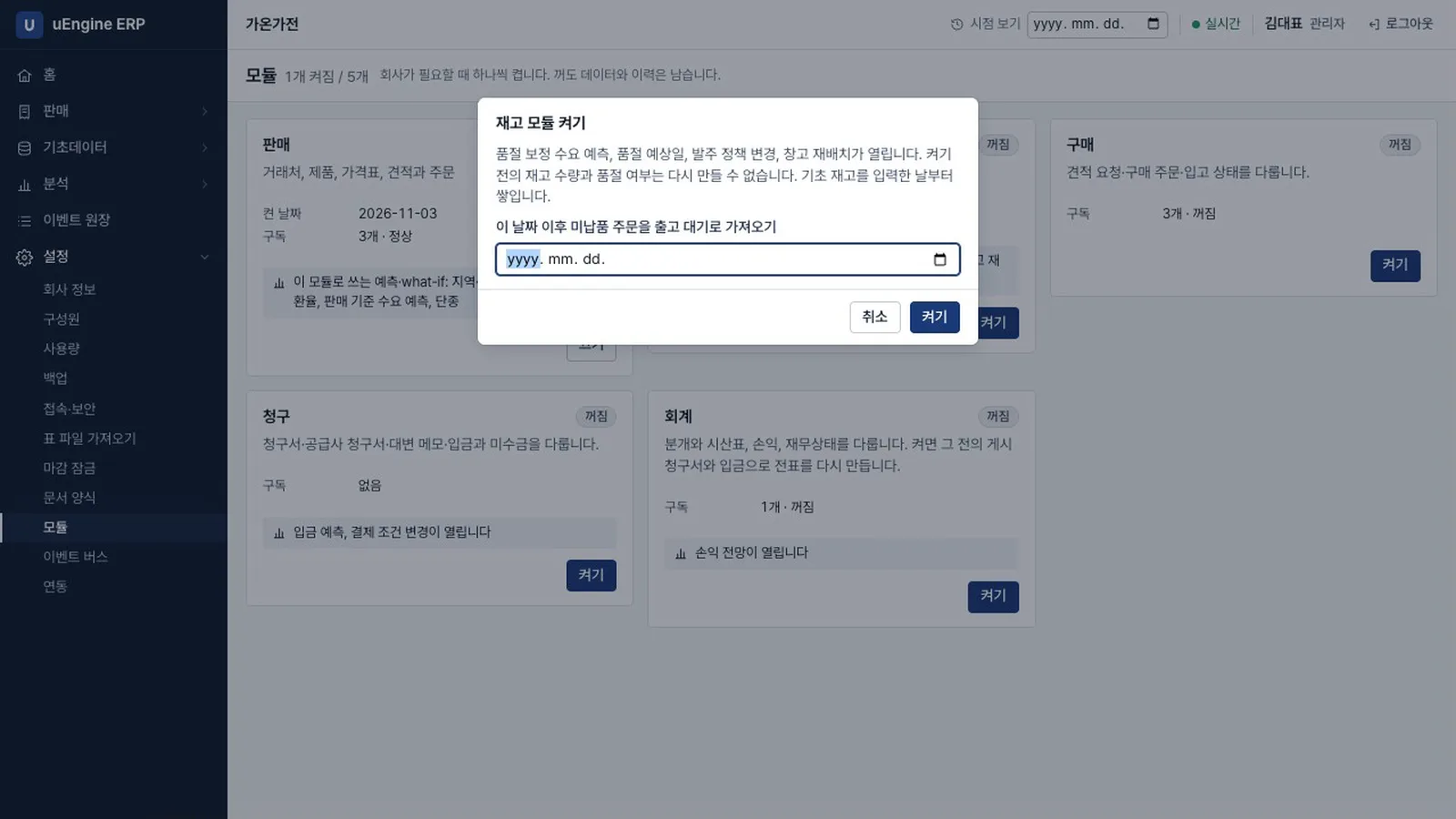
Modules
Turn them on one at a time
Only sales is on at first. Any combination works, and each module you turn on adds menus and the forecasts it makes possible.
- Failure isolationIf inventory stops, orders keep coming in. Once it is fixed, the waiting events are processed with nothing lost.
- Turning on laterTurn on accounting later and it rebuilds the journal from past invoices and payments. What it cannot know, like stock levels before inventory was on, it tells you.
- PluginsAdd a module with one SQL file, without changing the existing ones.
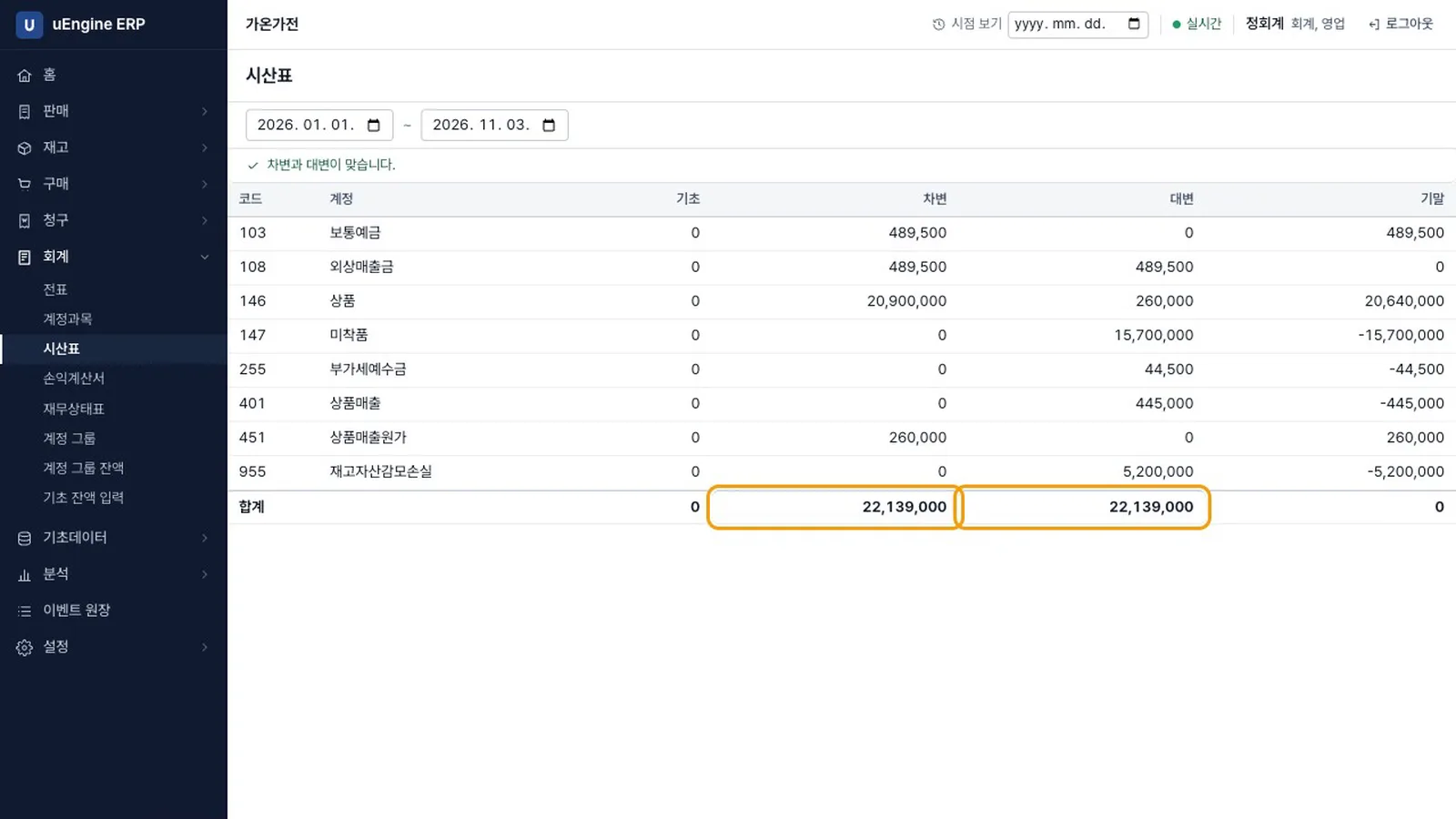
Daily work
From quote to payment, from purchase order to bill
Quotes, orders, deliveries, reordering, purchasing, receipts, invoices, payments and journal entries connect through events.
- InventoryWarehouses, receipts and deliveries, stock adjustments, reorder rules, average cost.
- Invoicing and accountingInvoices, credit notes, payments, trial balance, profit and loss, balance sheet, tax summary, period locks.
- BankImport a statement file and match it against payments. There is no automatic bank feed.
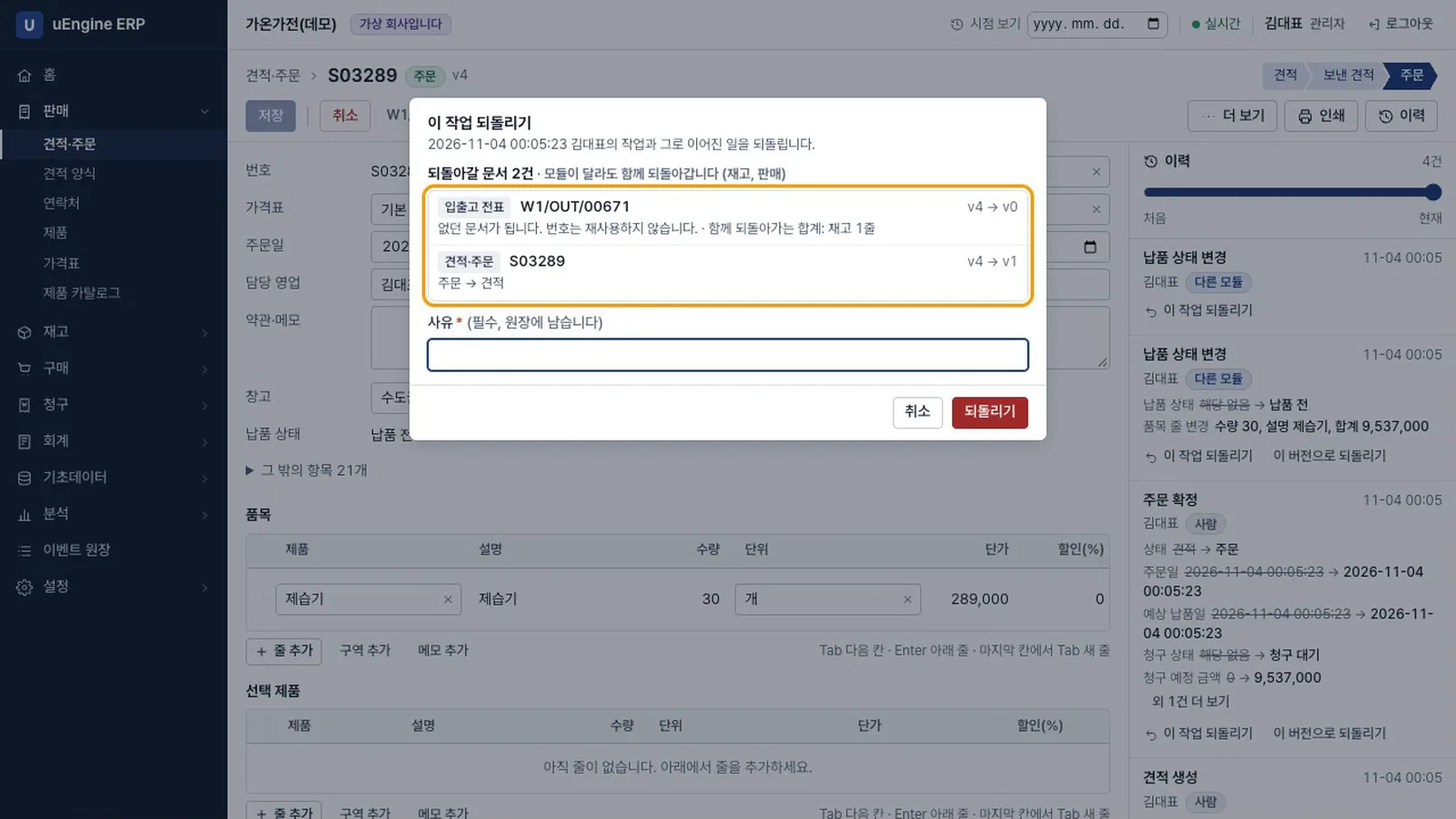
Time travel
See it as it was, check the scope, then undo
Pick a date and see the orders, stock and receivables of that moment. An undo deletes nothing; it adds one more event.
- Cascade previewUndoing an order first shows the delivery and stock that would go with it, across modules.
- Stops what must not be undoneA posted invoice blocks the undo and points you to a credit note. Dates before a lock are blocked too.
- Reasons and historyWho undid what and why stays in the ledger, and an undo can itself be undone.
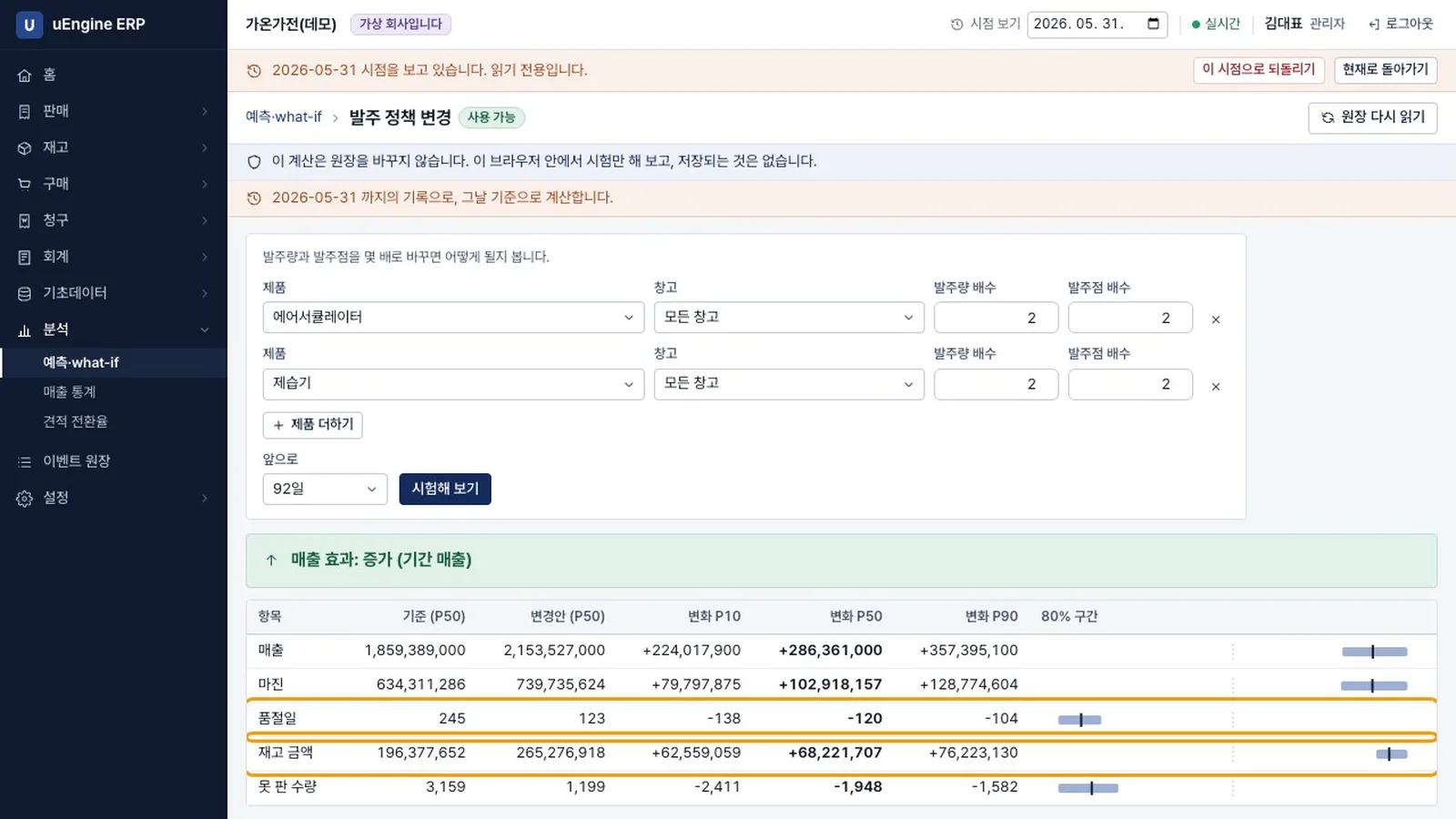
Forecasts and what-ifs
Test it before you change it
Change order quantities, drop a product, move stock between warehouses, or change lead times or payment terms, and see how sales and stockouts shift, with an 80% range. The ledger does not change.
- No evidence, no numberEach model shows as locked, short of evidence, or ready.
- It says so when it cannot tellIf the range includes zero, it says first that the effect cannot be distinguished.
- More modules, more modelsSales alone gives statistics and demand forecasts. Inventory opens reorder tests, and purchasing opens lead-time tests.
Integration
REST and MCP without building them by hand
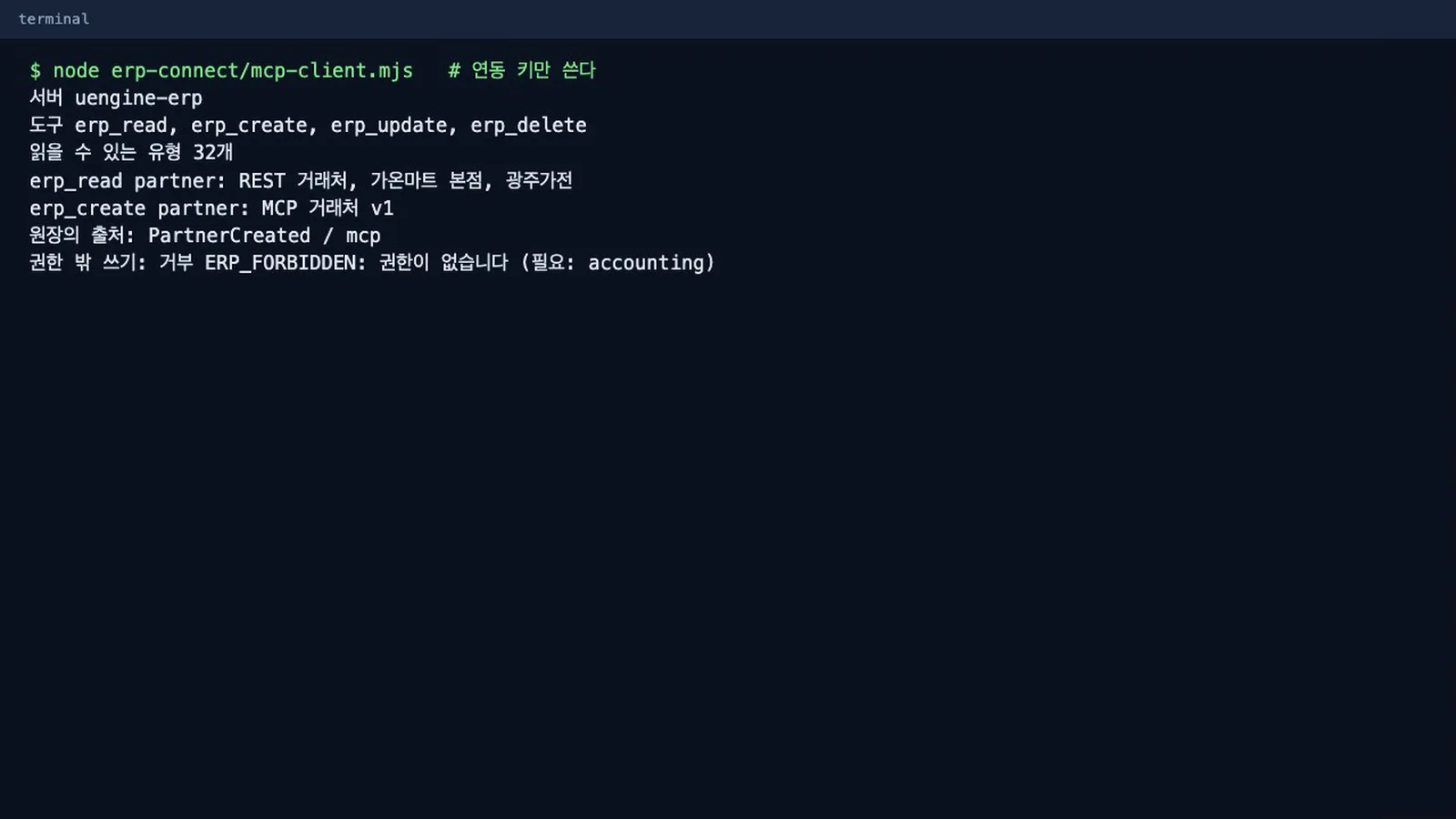
Define a type and its REST resource appears. Agents work with the documents of enabled modules through four tools. There is no separate server process.
- RESTStandard CRUD, version checks, idempotency keys.
- MCPFour tools: read, create, update, delete. A state change is the business action.
- API keysNever exceed the member's rights and can be revoked at any time. Only a hash is stored.
What It Is and Where It Stands
What is done and what is not, stated plainly.
| Category | Description |
|---|---|
| App release | The app address and source repository will be public soon. Until then, the tutorial and videos show how it works. |
| Modules | Sales, inventory, purchasing, invoicing and accounting. All 32 combinations are tested. |
| Basic feature coverage | Checked against 256 basic features of a major ERP: 226 provided, 22 partly, 3 missing, and 5 need a mail server. Of the advanced features, only those needed for order processing are included. |
| Not included | Email sending, e-tax invoices, automatic bank feeds, currency conversion (foreign-currency input is refused), XML import, PDF attachments on invoices. |
| Tests | 713 SQL tests and 166 browser tests, all run on a local Supabase stack. It has not yet been measured on Supabase's cloud. |
| Capacity | The free plan's 500 MB holds about 130,000 events, or about 10,000 orders, with all five modules on. At 10 orders a day that is about three years. |
| Forecast accuracy | Measured on made-up companies whose true demand is known. Where stockouts are frequent, reorder and discontinuation what-ifs were much closer than using sales history alone. Where stock is plentiful the difference is small, and moving stock between warehouses mostly comes back as cannot be distinguished. Real companies may see worse results. |
| Delay between modules | Modules connect through events, so there is a short delay between confirming an order and its delivery appearing. Modules cannot be scaled separately. |
| MCP | The four tools were called with the official MCP SDK. It has not been run connected to Process GPT. |
Watch the Videos
Recorded while running the real app. Data and figures belong to a made-up company. Click a thumbnail to play.
Product overview
Product overview
Turning on modules, time travel, rollback and what-ifs in one go.
Tutorial (Korean)
Ch. 1 Start with sales
Install, create the company, and handle quotes and orders with only sales on.
Ch. 2 Inventory and failure isolation
With inventory on, order events create delivery slips. If inventory stops, sales continues.
Ch. 3 Purchasing, invoicing, accounting
From reordering through receipts, invoices, payments and the trial balance. Accounting rebuilds past entries even when turned on later.
Ch. 4 Time travel and rollback
See a past moment as it was, and undo a mistake across modules after checking the scope.
Ch. 5 Forecasts and what-ifs
Numbers only when there is evidence. Test orders, discontinuation, stock moves, lead times and payment terms before changing them.
Ch. 6 Plugins and integration
Attach a plugin with one SQL file, and connect through generated REST and four MCP tools.
Start now with your own Supabase project
You can try the made-up company Gaon Appliances first. Chapter 1 of the tutorial walks you through installation. For rollout at your company or connecting AI agents, contact us.
Have more questions?
Want to know more about uEngine WMS or have a question? Get in touch anytime.