Loading...
Skip to Content

Open Source PaaS · Kubernetes

uEngine Cloud

Kubernetes-based developer self-service PaaS portal

2026 product demo · about 6 minutes, from app creation to zero-downtime switchover and node migration

Developers focus on code,
deployment and operations happen in the portal

uEngine Cloud is a developer self-service PaaS portal running on Kubernetes. Create a service from the catalog, and Git repository creation, image builds, and dev, staging, and production deployment follow in a single flow.

Developers push source code, while operators check resources, logs, metrics, and deployment status on the same app screen. Verified images are promoted to production without rebuilding, and traffic switchover and rollback to the previous version are handled in the portal.

Key features

From service creation to operations, these are product screens running on a real Kubernetes cluster.
Click any screen to enlarge it. Apps and figures shown are from a demo environment.

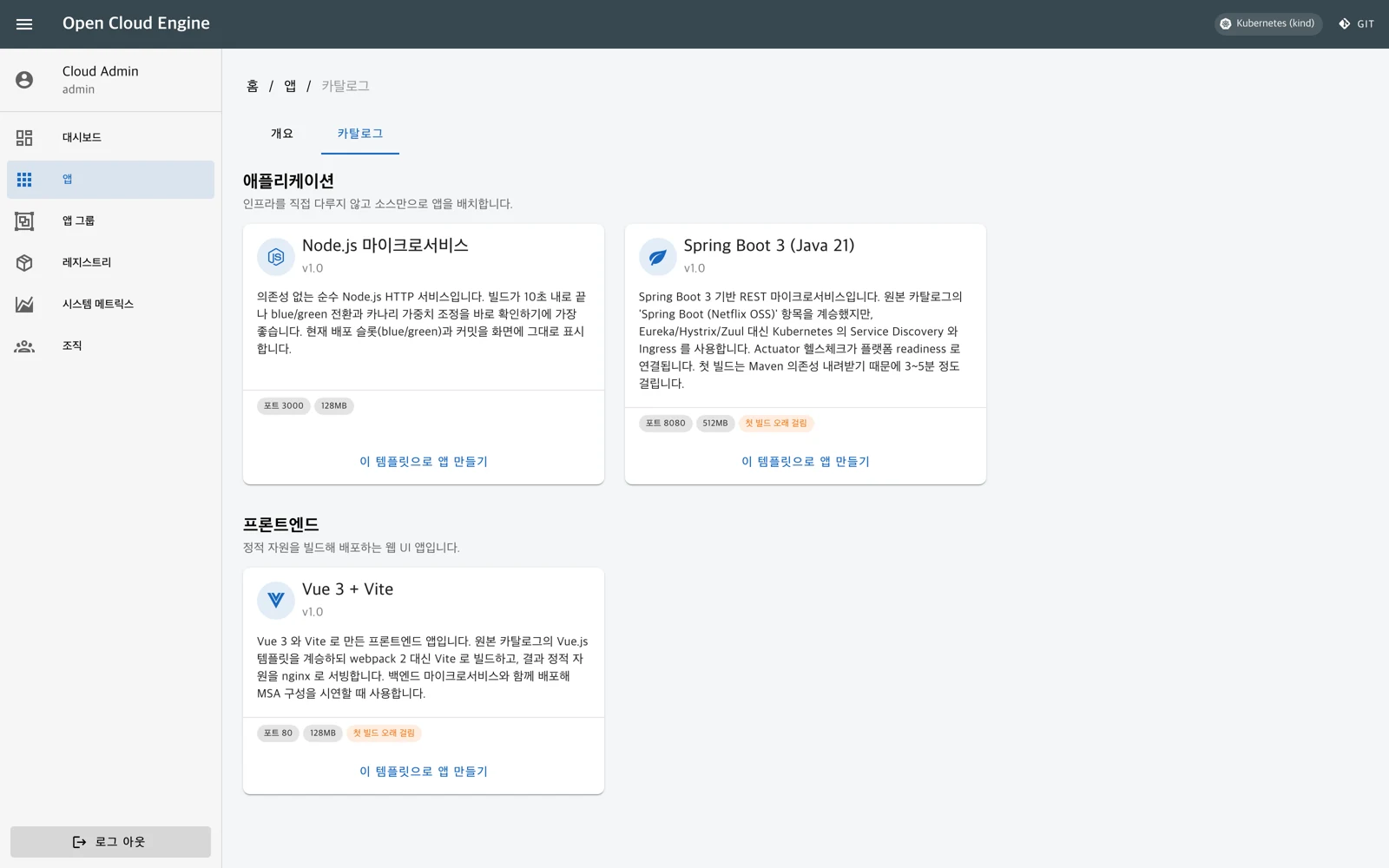
uEngine Cloud product screen: starting a service from a template — demo environment

Start a service from a template

Pick a template from the catalog, set a name and resources, and a Git repository and first deployment pipeline are ready. Reuse your organization's standard projects.

Node.js, Spring Boot 3, and Vue 3 templates
Automatic Git repository creation and source browsing
Access URLs for dev, staging, and production
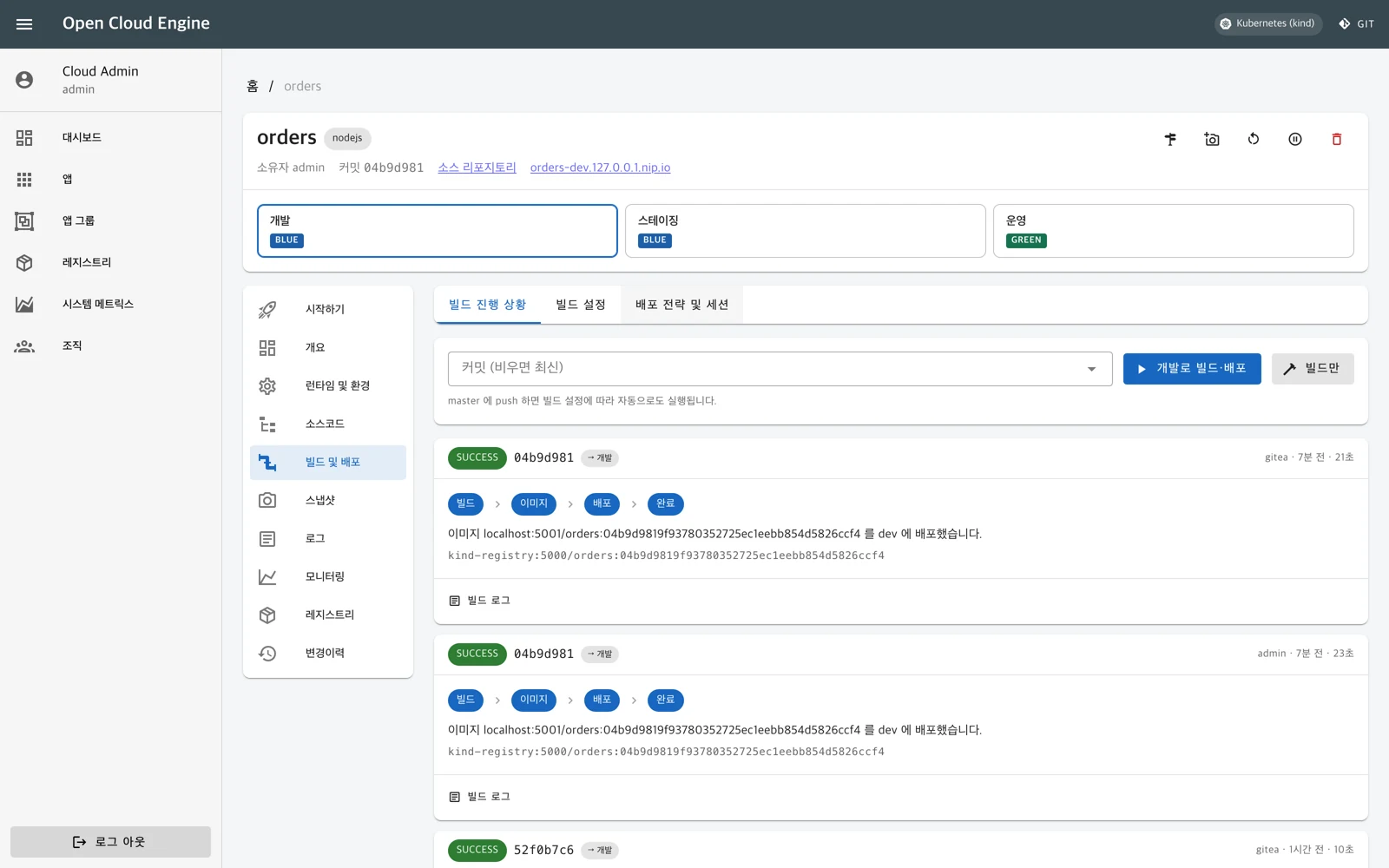
uEngine Cloud product screen: from code commit to build and deploy — demo environment

From code commit to build and deploy

Push your source code and an image build job runs inside the cluster. The resulting image is registered in the registry and deployed to the stage you specify.

Auto-trigger and target branch settings
Per-stage progress status and build logs
Auto-deploy stage and build timeout settings
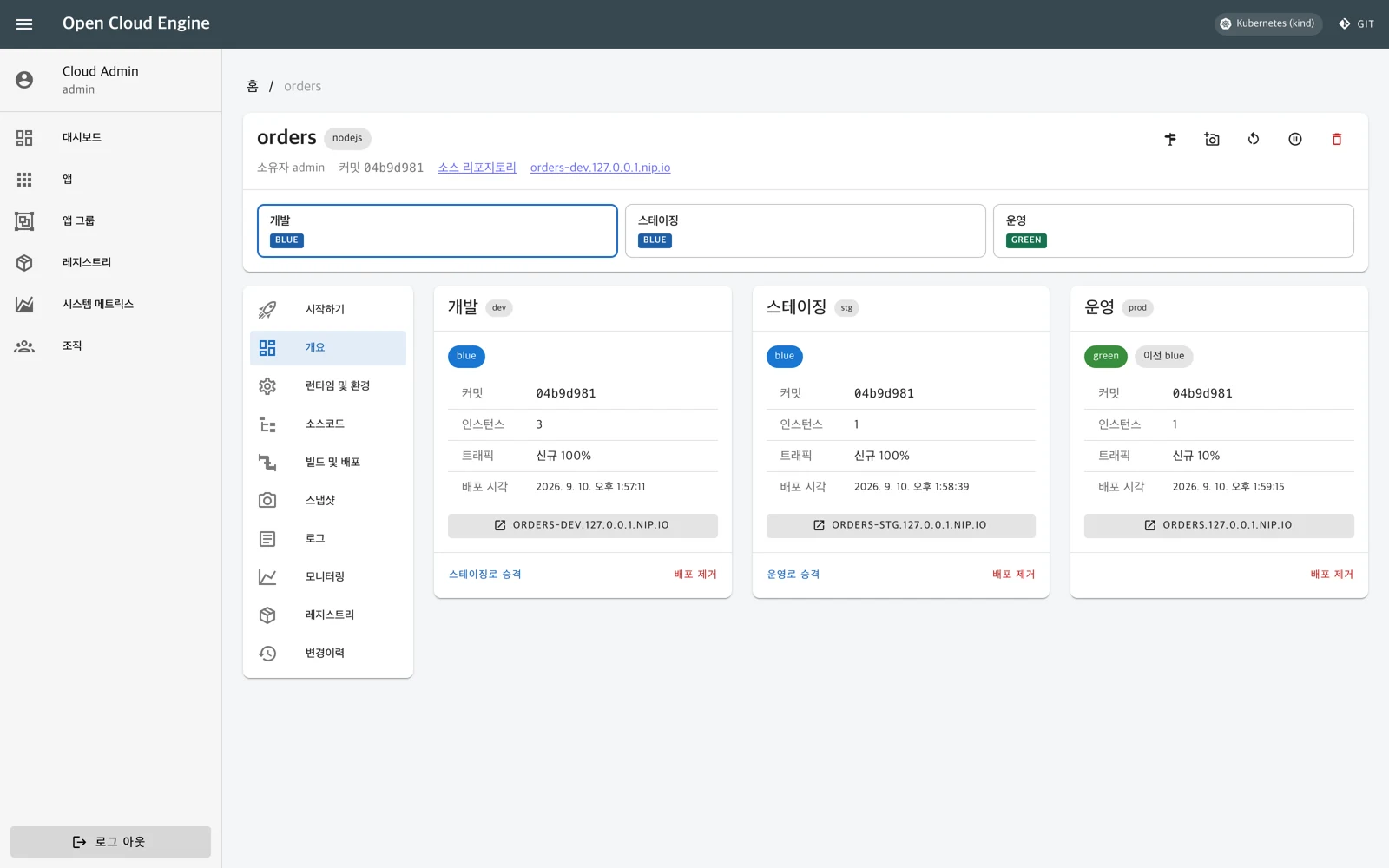
uEngine Cloud product screen: the same image from dev to production — demo environment

The same image from dev to production

Promote the image verified in development to staging and production. No rebuild at each stage, so the version you deploy stays consistent.

Three separate stages: dev, staging, production
Stage-by-stage promotion of the same image
Slot, commit, and access URL per stage
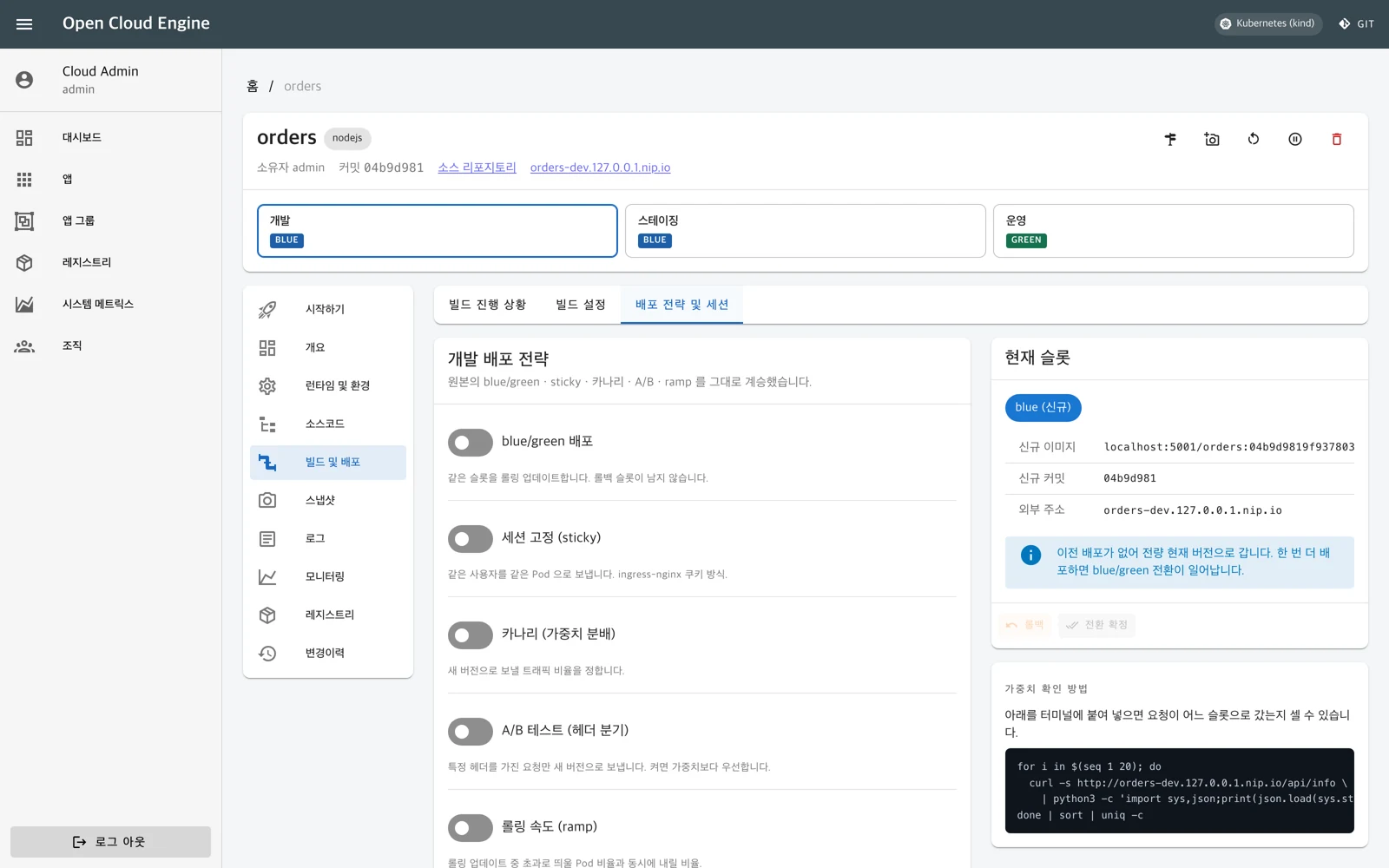
uEngine Cloud product screen: five deployment strategies and traffic switching — demo environment

Five deployment strategies and traffic switching

Deploy the new version to a separate slot and adjust traffic. The previous slot is kept until you confirm the switch, so you can roll back if something goes wrong.

Blue-green, canary, and A/B testing
Session affinity and rolling speed control
Adjust the new-version ratio and confirm the switch
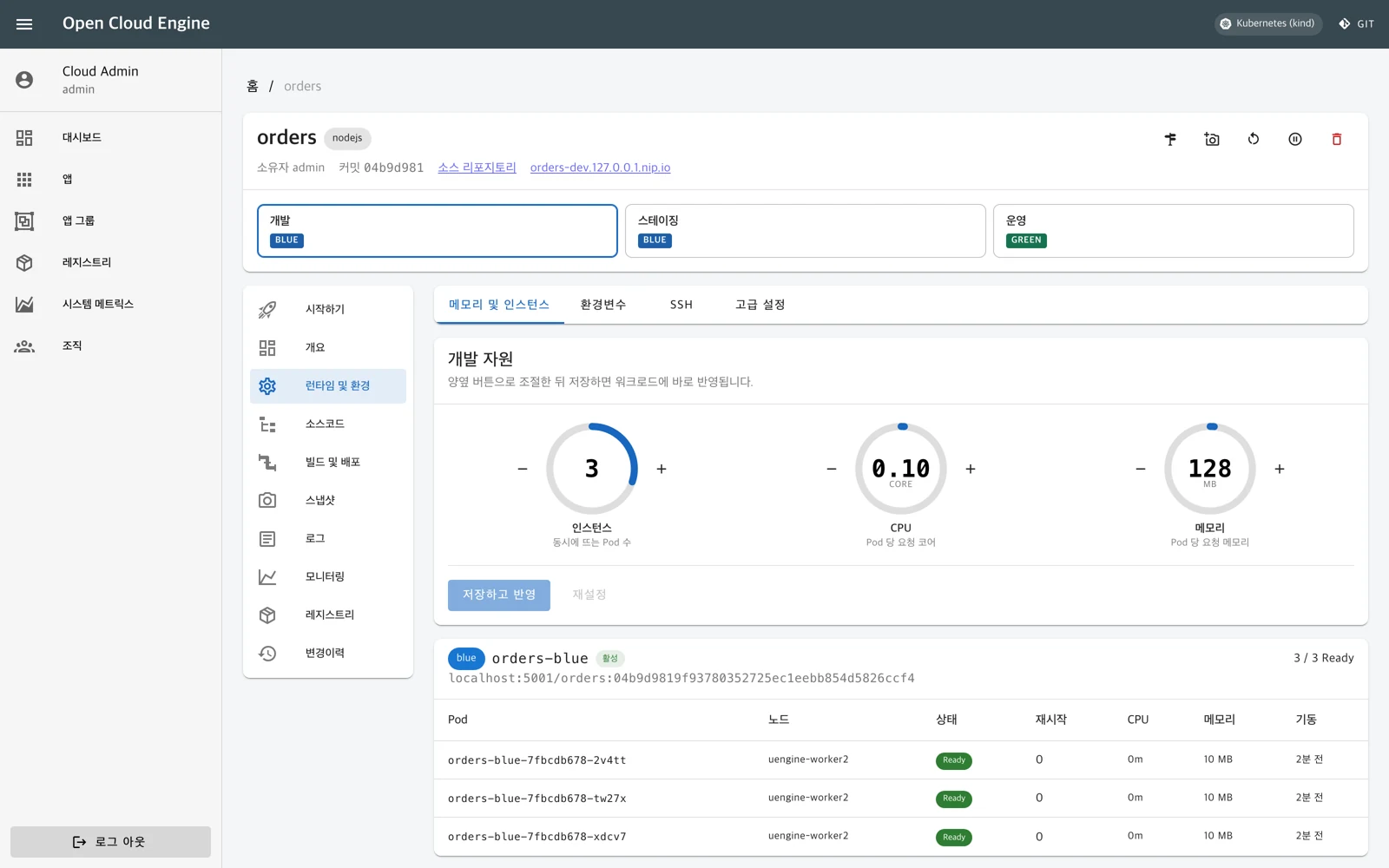
uEngine Cloud product screen: resources and configuration per app — demo environment

Resources and configuration per app

Adjust instance count, CPU, and memory on screen. Edit per-stage configuration, review the changes, and apply them with a redeploy.

Instance, CPU, and memory adjustment
Environment variable and config file management
Container shell access from the browser
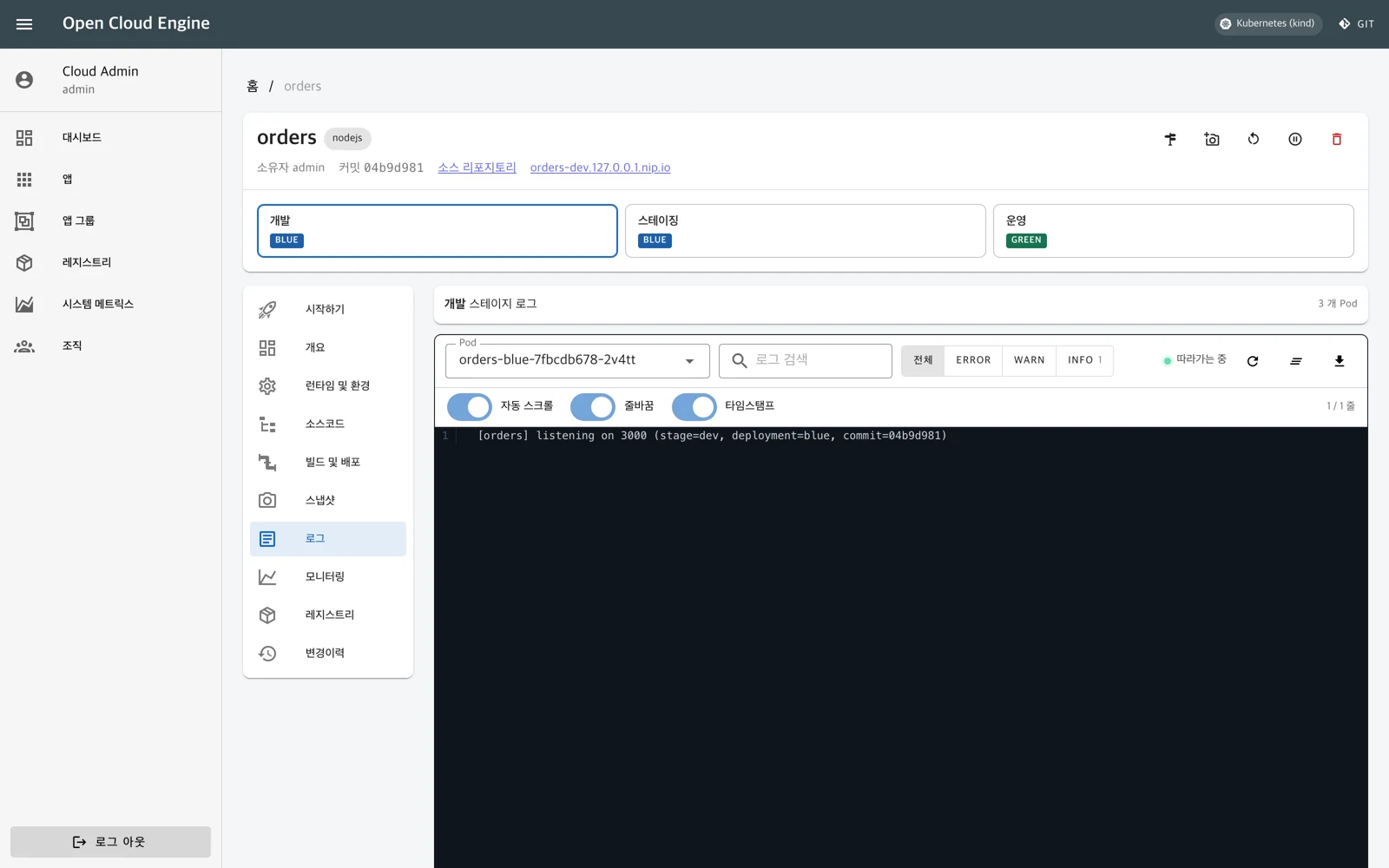
uEngine Cloud product screen: real-time log search and export — demo environment

Real-time log search and export

Stream logs from running instances into the portal. Narrow down issues with keyword and severity filters, then save what you found to a file.

Instance selection and real-time streaming
Search highlighting with error and warning filters
Auto-scroll, line wrap, and file download
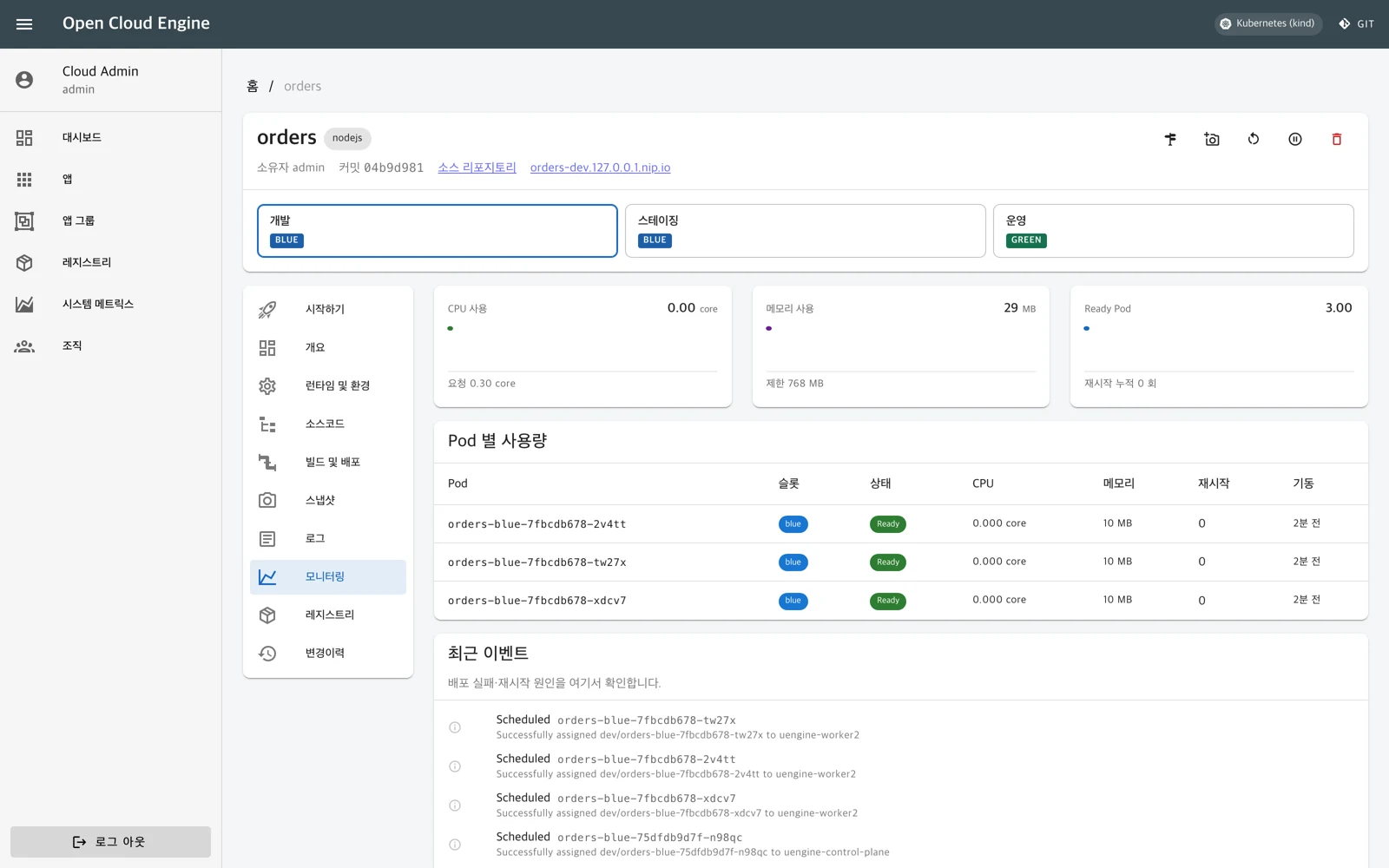
uEngine Cloud product screen: app health and operational metrics — demo environment

App health and operational metrics

Review CPU and memory usage and healthy-instance status per app. Check cluster events alongside them to track what changed after a deployment.

CPU and memory usage trends
Instance status checks
Kubernetes event lookup
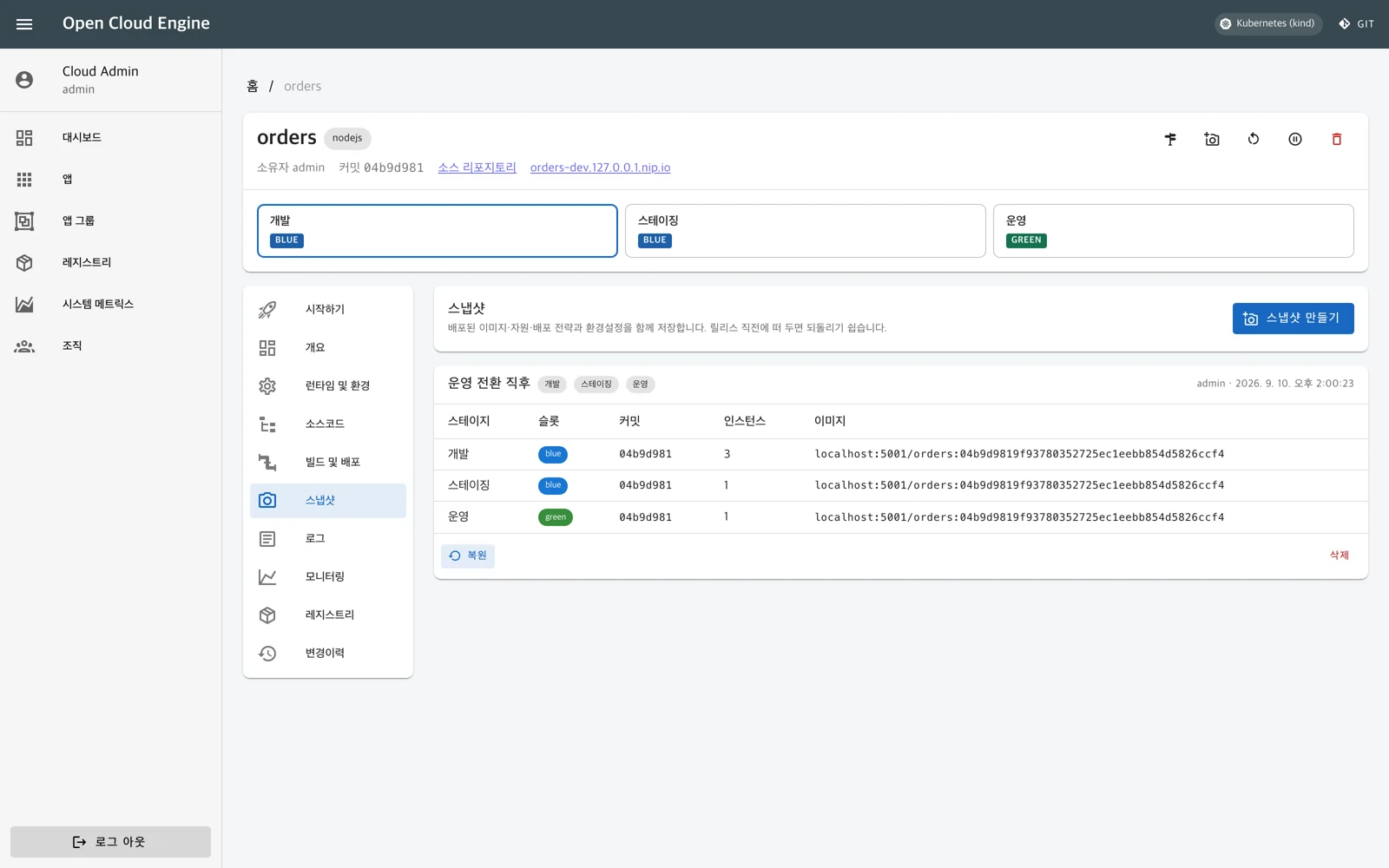
uEngine Cloud product screen: operations that roll back to a previous state — demo environment

Operations that roll back to a previous state

Slot rollback, redeployment of past images, and snapshot restore are all available. Snapshots keep not just the deployed version but its configuration and resource setup too.

Saves image, commit, resources, and deployment strategy
Per-stage snapshot restore and redeploy
History of deploy, promote, and restore operations
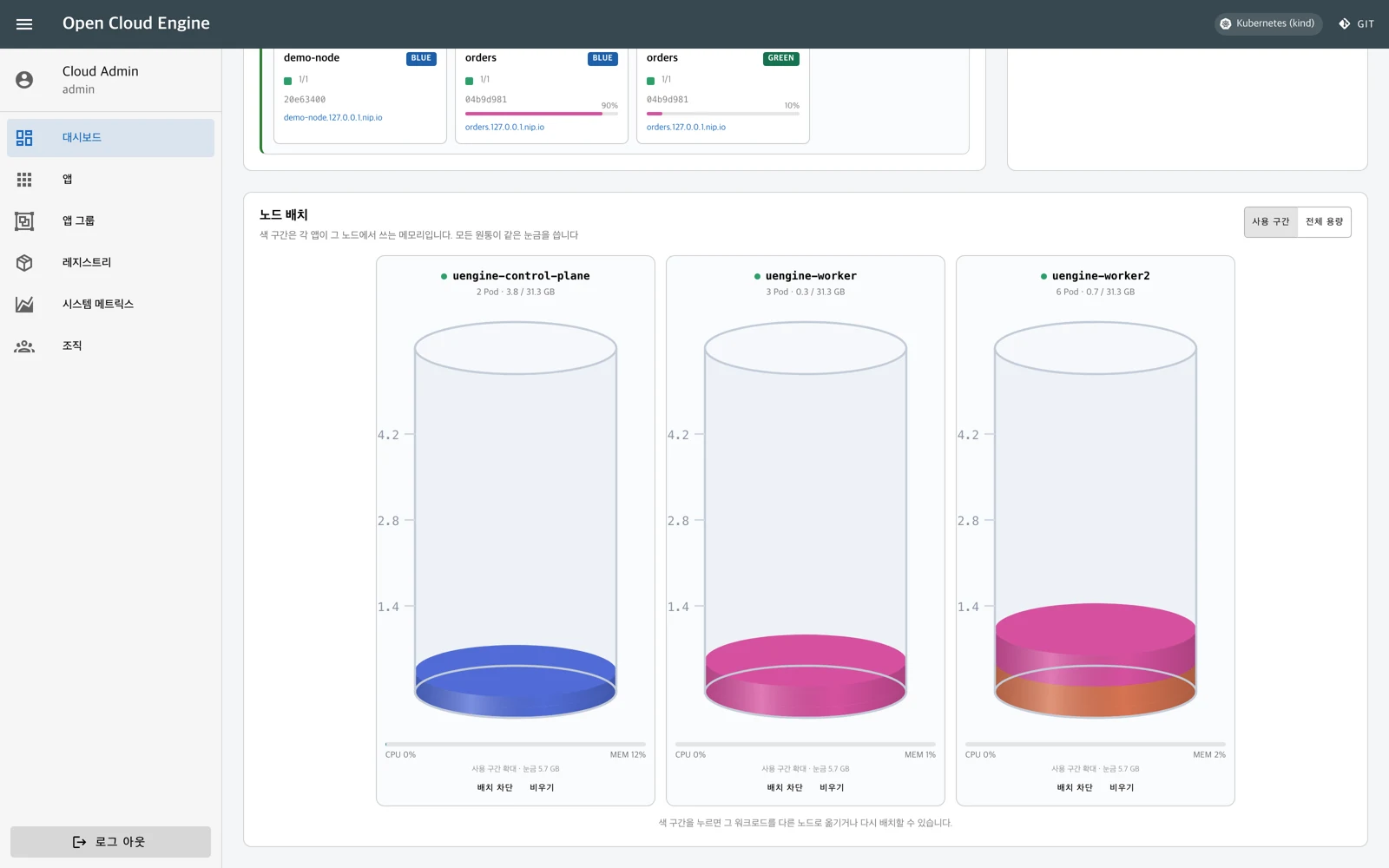
uEngine Cloud product screen: cluster map and node placement — demo environment

Cluster map and node placement

See the full deployment picture across dev, staging, and production, plus resource placement per node, at a glance. Select a workload and move it to another node.

Deployment and switch status on the cluster map
App memory usage comparison by node
Move workloads and block new placements on a node
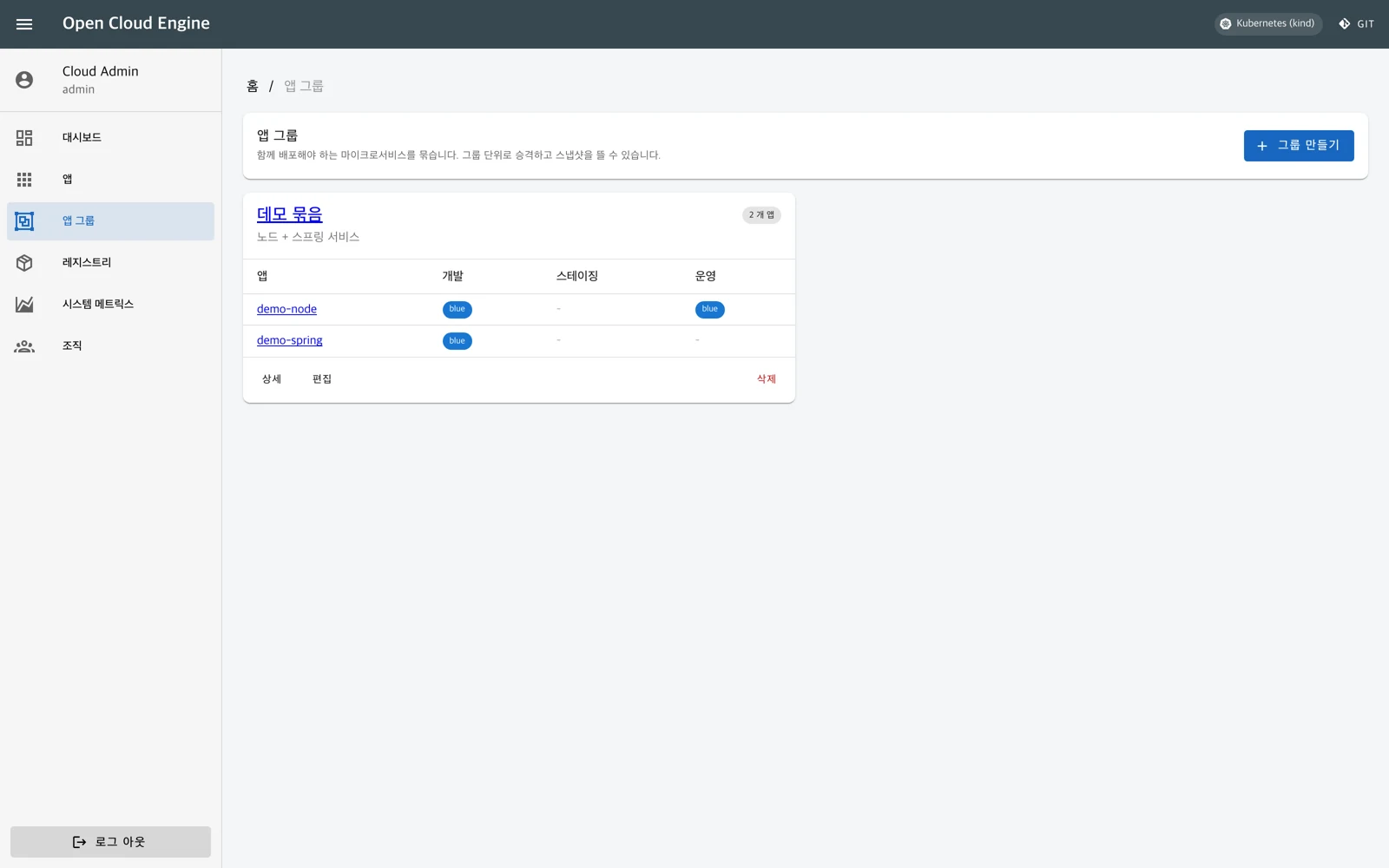
uEngine Cloud product screen: manage multiple services as a group — demo environment

Manage multiple services as a group

Bundle services that run together into an app group, promote them together, and take snapshots. Check per-service results and deployment status per stage.

Group-level promotion to staging and production
Snapshot of the entire group
Success and failure results per service

How It Works

01

Choose a template

Pick an app type from the catalog and set the name and resources. A repository and first build are ready.
02

Change code and build

Push code and the image is built inside the cluster and deployed to the dev stage.
03

Verify and promote

Promote the image verified in dev to staging and production, then switch traffic.
04

Observe and improve

Check logs and metrics, then confirm the switch. If needed, roll back to the previous slot or a snapshot.

A deployment strategy for every service

Five deployment strategies you select and tune in the portal
StrategyHow it works
Blue-greenDeploys the new version to the opposite slot and switches traffic. The previous slot is kept until you confirm.
CanarySets the share of traffic sent to the new version and adjusts it gradually.
A/B testingRoutes requests carrying a specified request header to the new version.
Session affinityEnsures requests from the same user are routed to the same instance.
Rolling speedControls the share of instances added or removed at once during replacement.
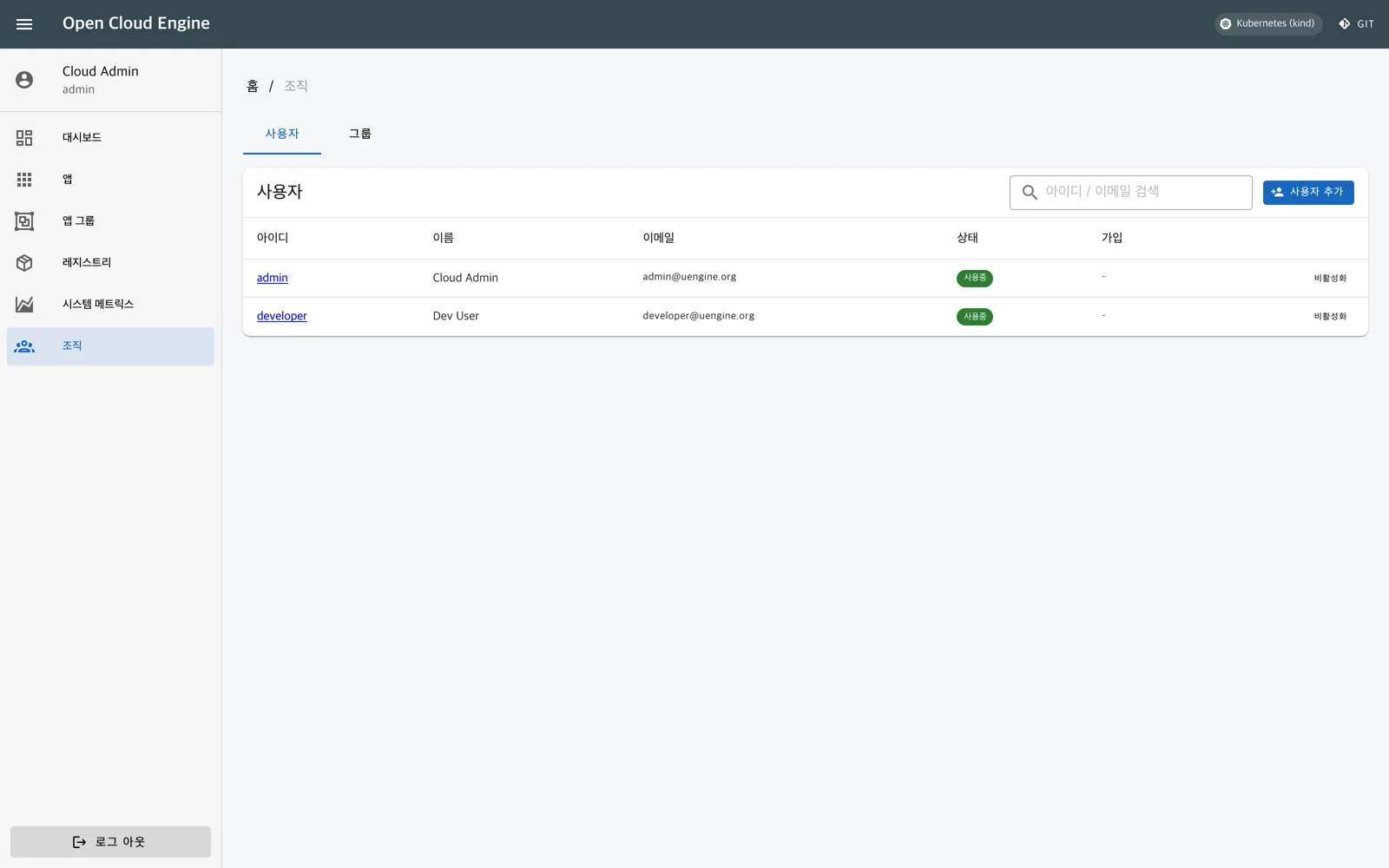
uEngine Cloud organization user and role management screen

On-premises · Open source

Install and extend to fit your in-house environment

Set up the portal, repository, registry, and auth server on your in-house Kubernetes environment. Pre-import the required images and it installs on air-gapped networks too.

Provides OAuth 2.0/OIDC-based authentication, admin and regular user roles, and group management. Integration with your existing repositories, registries, and identity systems is configured to fit your environment.

The source is published under the MIT license, so templates and screens can be extended to match your organization's standards. We also review installation setup, operations documentation, training, and a pilot service rollout with you.

Product background and key references

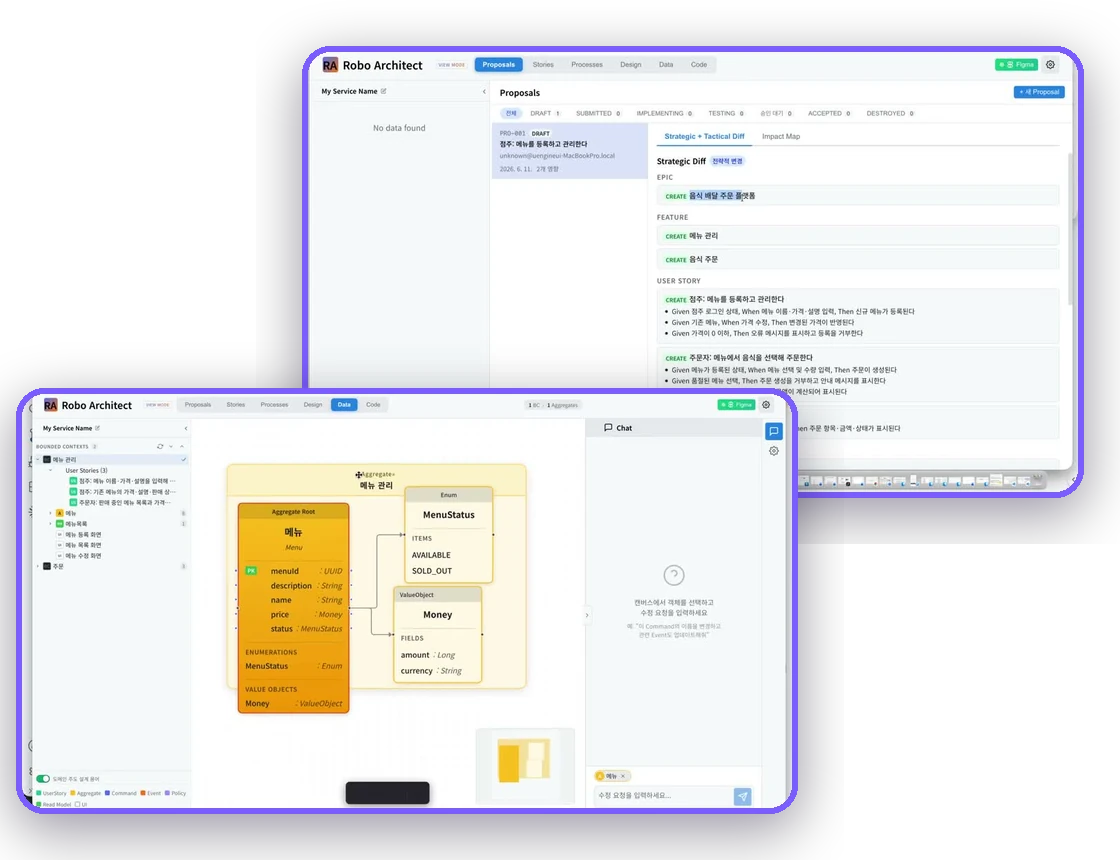
Starting from uEngine BPM, released in 2003, the product evolved into the open-source PaaS of the OCE (Open Cloud Engine) alliance in 2013 and MSA-based DevOps in 2018. Today it supports Kubernetes and connects the design and implementation tool Robo Architect with deployment and operations. We share the experience gained along the way through enterprise consulting and MSA School training.

uEngine's PaaS builds, MSA transitions, and BPM and AI projects
CustomerKey work delivered
KIAT · Public R&D institutionsOCE-based cloud pool and shared app store (2013–2014)
Hanwha Group · Hanwha SystemsBPM adoption, MSA transition consulting and training, Hanwha Life BPM project (2003–2025)
Gov24Cloud-native MSA consulting (2025)
POSCO DX · POSCOIntegrated logistics consulting and AI-driven design and modernization (2022–2025)
SK C&C · SK TelecomMSA training and Process GPT automation of OSS operations (2020–2026)
KB Kookmin BankKB Wallet MSA implementation consulting (2023–2024)
LG CNS · LG Energy SolutionMSA development methodology and manufacturing/ERP BPM implementation (2019–2024)

View company history →   View MSA training track record →

Take a look right now

See the service creation, deployment, and operations flow and deployment options in the latest demo and the 25-page product brochure.

GitHub Watch the demo Product Brochure (PDF)

Have more questions?

Want to learn more about uEngine Cloud or have a question? Reach out anytime.