A semantic layer for AI agents, measured against NVIDIA Auto Ontology
1. A dictionary and a map
Open a company database to an AI agent as it is, and the answers go astray. It writes SQL from table and column names alone, mixes up revenue definitions that differ by department, and invents table relationships that don't exist. That is why a semantic layer sits between the data and the agent: what each column means and how the tables relate, organised in advance.
In November 2026 NVIDIA released this semantic layer as open source: Auto Ontology. It reads a company database's metadata and builds a glossary, verified formulas and the joins between tables, and agents write SQL from that.
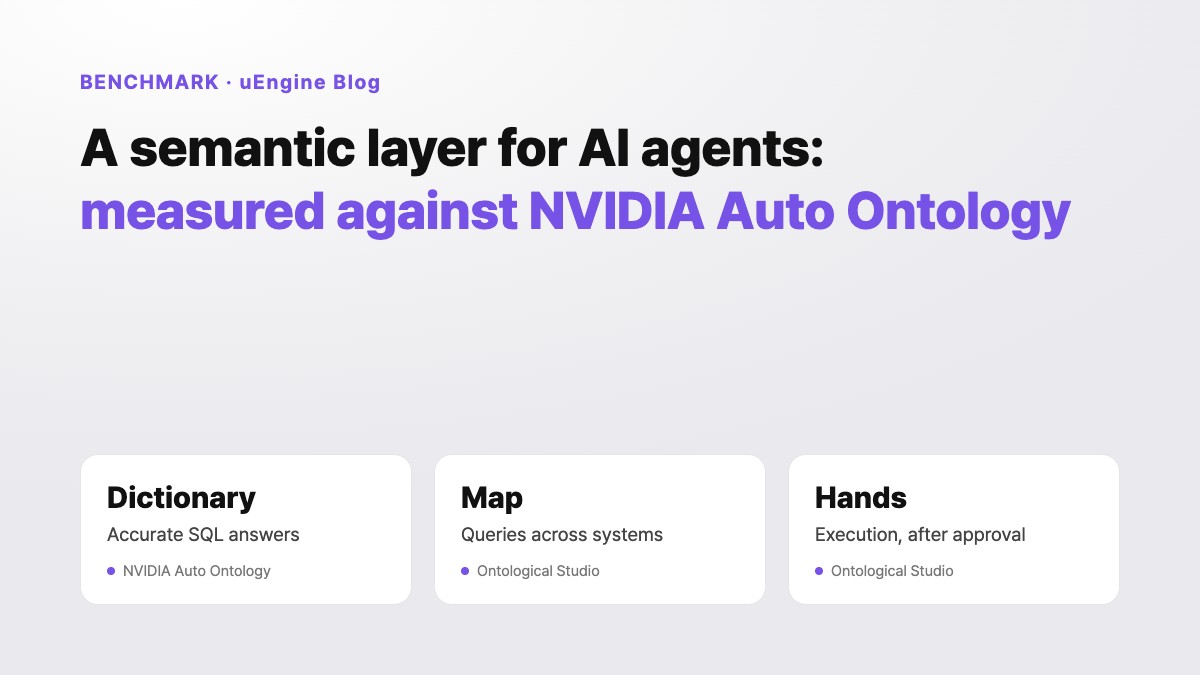
Think of a dictionary. It tells you exactly what a word means, but it won't find the way to your destination or drive you there. Auto Ontology is an accurate dictionary. uEngine's Ontological Studio is closer to a map: it shows how data scattered across systems connects, follows those connections to the answer, and, once a person approves, carries out the work in the business systems.
We compare how the two products handle the same jobs, and present three things we learned from NVIDIA and put into Ontological Studio straight away.
2. Giving both products the same job
We compared five jobs on a sample company's purchasing ERP, logistics WMS and customer CRM data. The Ontological Studio column is what actually ran. The NVIDIA column is the behaviour we confirmed in the published source code and official documentation; we did not install and run it.
| What we tried | NVIDIA Auto Ontology | Ontological Studio |
|---|---|---|
| Joining WMS shipments to ERP purchase orders The same order number is ref_po_no in the WMS and po_id in the ERP | Finds joins within one connection and writes SQL. Joins between different databases are not covered. | Relationship suggestions found ref_po_no → po_id (6 of 7 sampled values matched). A three-hop query over it shows that shipments SHP-02 and SHP-03, more than three days late, belong to Shenzhen Goldline PCB orders. |
| "What was last quarter's advertising spend?" There is no advertising data | check_answerable returns, as a number from 0 to 1, the share of the question's entities found in the data. What to do with it is up to the caller. | Judged not_yet_answerable, with the note that 「advertising spend」 is missing. The agent builds and runs no query from data that isn't there. |
| "Expedite that shipment" | Read-only by design: all nine MCP tools only query. | Action plan → policy check → human approval → execution changes the WMS priority; cancelling undoes it in reverse order. |
| Keeping source database passwords | With Vault on, the password is kept outside the database; without it, it is stored in the database as plain JSON. A connection whose password Vault cannot return drops out of the list without notice. | By default the password is in the OS keychain (or Vault) and the database keeps only a reference. If it cannot be read, that datasource shows an error. |
| Building from business rule documents | Reads database metadata only. | Reads documents and databases together, and records the source document and page for every concept. |
In short, Auto Ontology focuses on accurate SQL answers. Ontological Studio goes on to queries across systems and execution after approval. They solve different problems.
3. Three things we learned from NVIDIA and adopted
The comparison also showed where Auto Ontology is better equipped. We put three of those into Ontological Studio straight away. Tutorial chapters 22–24 walk through them with videos.
Finding relationships even without keys
Auto Ontology accepts a join only when the parent column has no duplicate values. We adopted that rule and added one: at least 80% of the child values must be in the parent. Status, quantity and date columns are left out from the start. The database measures the columns without copying the source (SHOW COLUMN STATS, SHOW VALUE OVERLAP), and Studio suggests relationships with that as the evidence.
Measuring 13 tables in the three sample databases took one second. Seven relationships were suggested and 56 candidates rejected. Auto Ontology skips inference without an embedding key; our judgement works without AI.
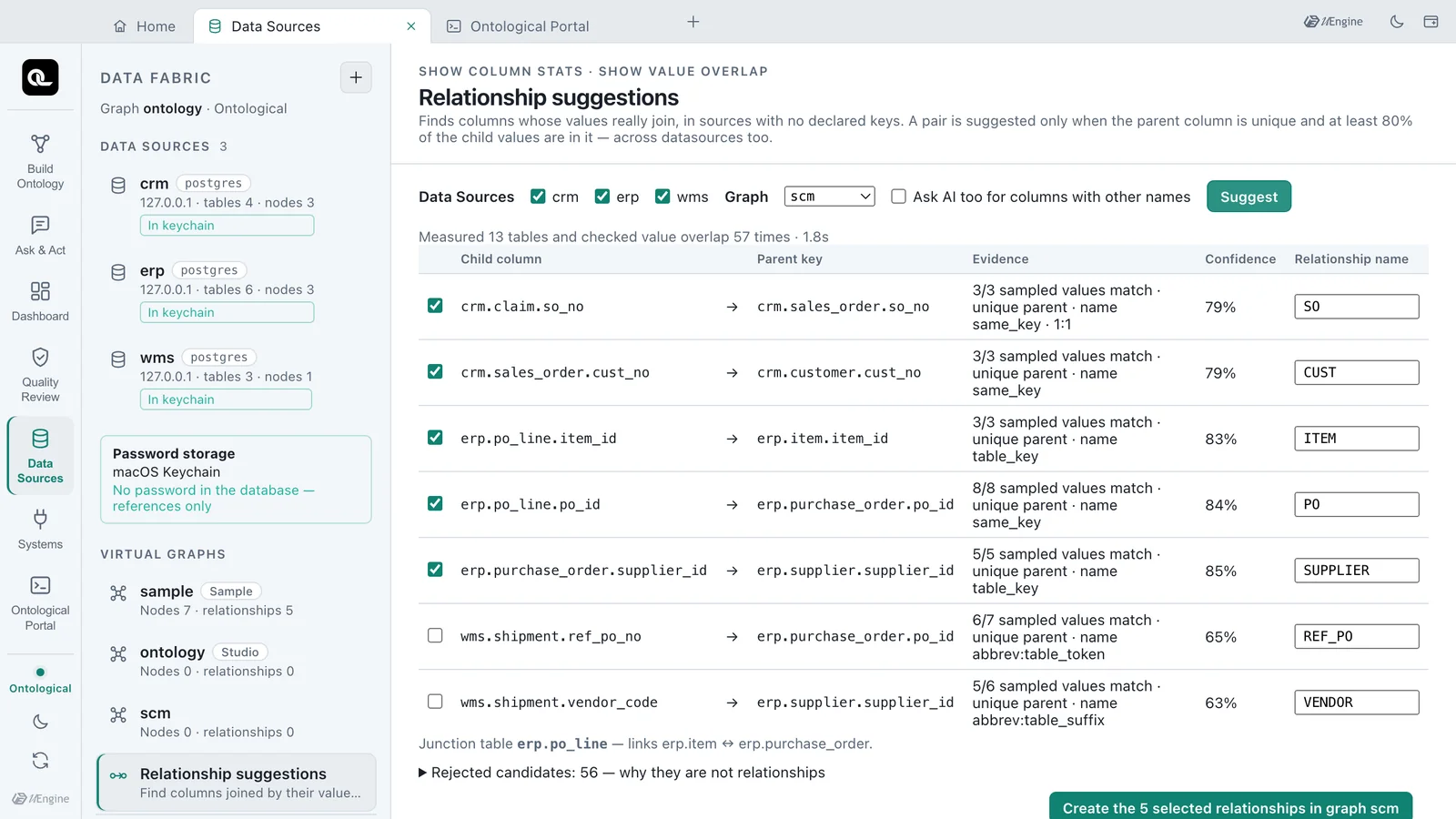
Every suggestion shows how many sampled values matched, whether the parent values are unique, and which naming rule applied.
Checking first whether it can answer
Auto Ontology's check_answerable returns, as a number from 0 to 1, the share of the question's entities found in the data. We took that idea and made it five verdicts: answerable, partly answerable, not yet answerable, needs clarification, and not published. The verdict comes from rules, not an AI guess. A question that matches a golden question verified by actually running it at build time is answered along that verified path, and a number in the question is checked against real instances. "S-KR-01", for example, was confirmed as the supplier 「Hanbit Precision」.
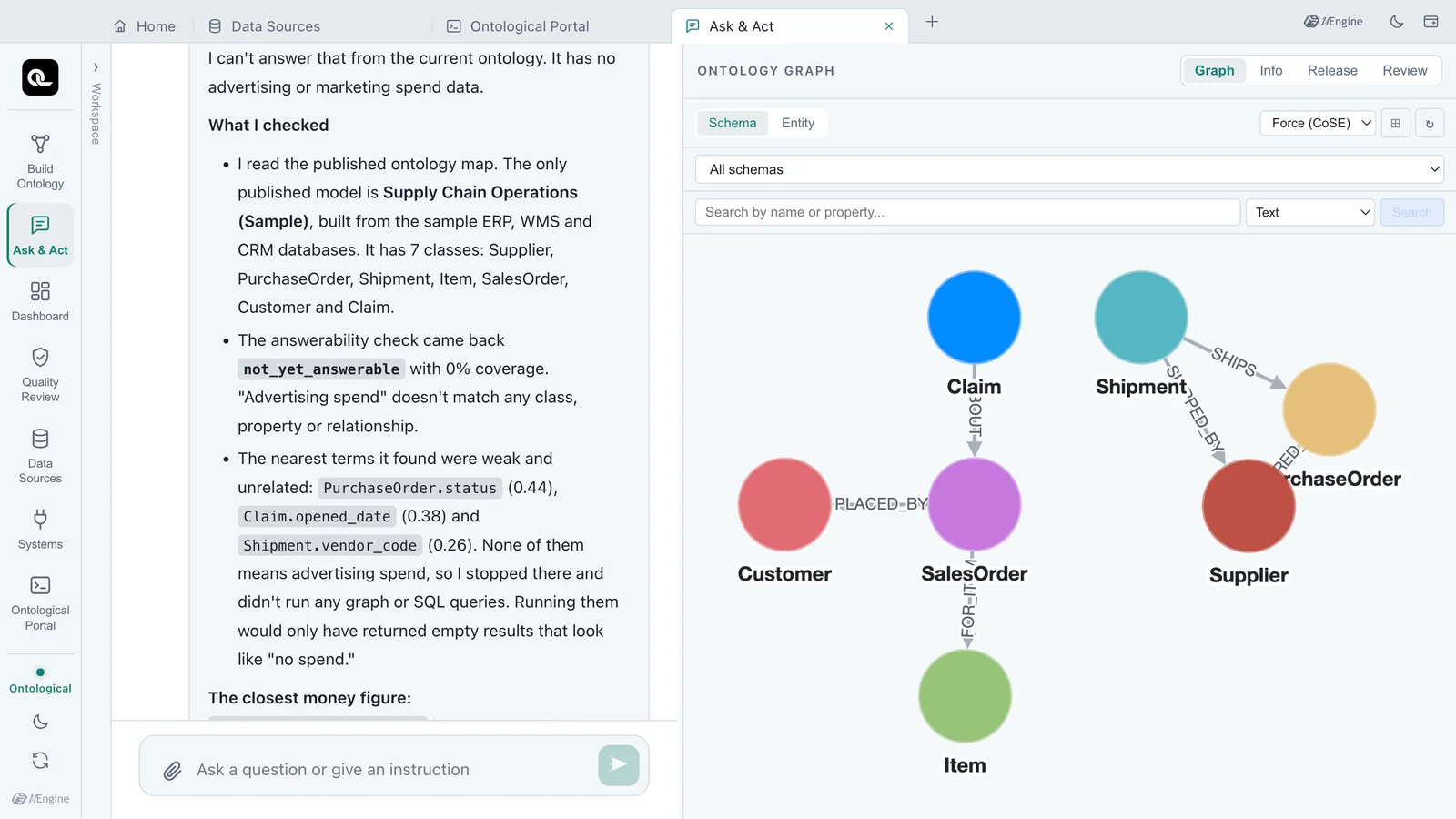
"What was last quarter's advertising spend?" — answerability is judged first, and the agent does not build an answer from data that isn't there.
Source passwords stay outside the database
Auto Ontology keeps connection details outside the database when Vault is on. We changed our default so that this holds without Vault: on the desktop the password is in the OS keychain, on a server in your Vault or OpenBao, and the database keeps only a reference such as keychain:ds/erp. When the source password changes, one Change password does it, and the virtual nodes on top stay as they are.
We started and stopped the real app three times and checked 21 things: that no password is left in the user mappings or the server log, and that losing a keychain item breaks only that datasource.
4. Where NVIDIA is ahead
- Source connectors: ten, including Snowflake, Databricks, ClickHouse and Trino. Ontological Studio has four: PostgreSQL, MySQL, Oracle and SQL Server.
- Running for many users: SSO, role-based permissions and token revocation. Ontological Studio desktop is an app for one person.
- Public evaluation: a separate repository measures SQL accuracy on public benchmarks. We verify every ontology with golden questions, but have no public numbers yet.
- License: Apache-2.0 makes it easy for a company to adopt as is. Ontological Studio is AGPL-3.0 with a commercial license.
5. Which to choose
- If the goal is accurate SQL answers over one cloud data warehouse, Auto Ontology fits well.
- If the data sits in several systems such as ERP, MES and WMS, and you need to query across them without moving it and carry the work through, Ontological Studio fits.
- The two can work together: the terms and formulas one has organised are good material for the other's ontology.
An agent needs more than an accurate dictionary. It also needs a map that shows how the data connects, and hands that do only the work that was approved.
6. Already a product: Ontological Studio · Ontological DB
Everything in this post's Ontological Studio column is what the app actually did. The three features introduced here ship in the next release (0.1.3). Each is on the product page and in the tutorial.
| In this post | Product feature |
|---|---|
| Querying several databases at once, without copying data | Ontological DB data fabric — source tables read as virtual nodes. ↗ See it on the product page |
| Finding relationships without keys | Relationship suggestions and the statements that measure the source ↗ See it on the product page · ↗ Ontological DB |
| Checking first whether a question can be answered | Answerability check ↗ See it on the product page |
| Source passwords outside the database | Keeping source passwords · datasources without passwords ↗ See it on the product page · ↗ Ontological DB |
| From the answer to the work itself | Golden commands and actions (plan · approve · execute · undo) ↗ Watch the demo videos |
Ontological Studio starts from a single installer on macOS and Windows — no Docker, no Neo4j. Download and install it, then follow the three features of this post, with videos, in tutorial chapters 22–24.
References
- NVIDIA/auto-ontology — GitHub (README, checked 2026-11-05)
- NVIDIA/auto-ontology-eval — SQL accuracy evaluation tool
- NVIDIA Agent Knowledge Foundation
- Ontological Studio Tutorial · Chapter 22 · Keeping Source Passwords
- Ontological Studio Tutorial · Chapter 23 · Getting Relationship Suggestions
- Ontological Studio Tutorial · Chapter 24 · Checking Answerability First